Creating lookalike audiences
Lookalike audiences help you reach new people who are similar to your existing customers or engaged users.
Scalify creates these automatically based on the source you select.
Available sources
-
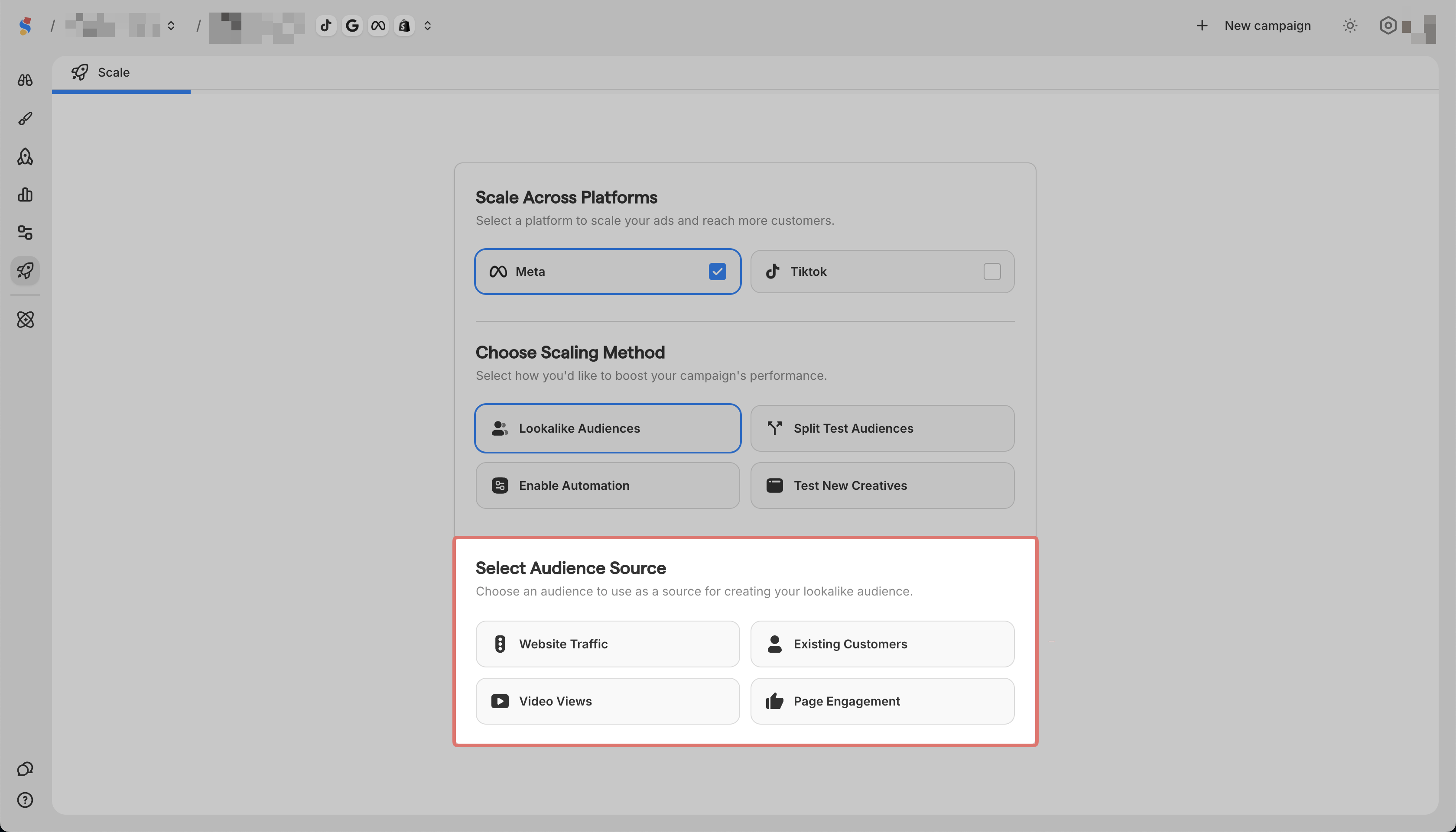
Website Traffic targets people similar to your website visitors
-
Existing Customers targets people similar to your buyers
-
Video Views targets people similar to those who watched your videos
-
Page Engagement targets people similar to those who engaged with your page
How to create
-
Go to Scale in the sidebar

-
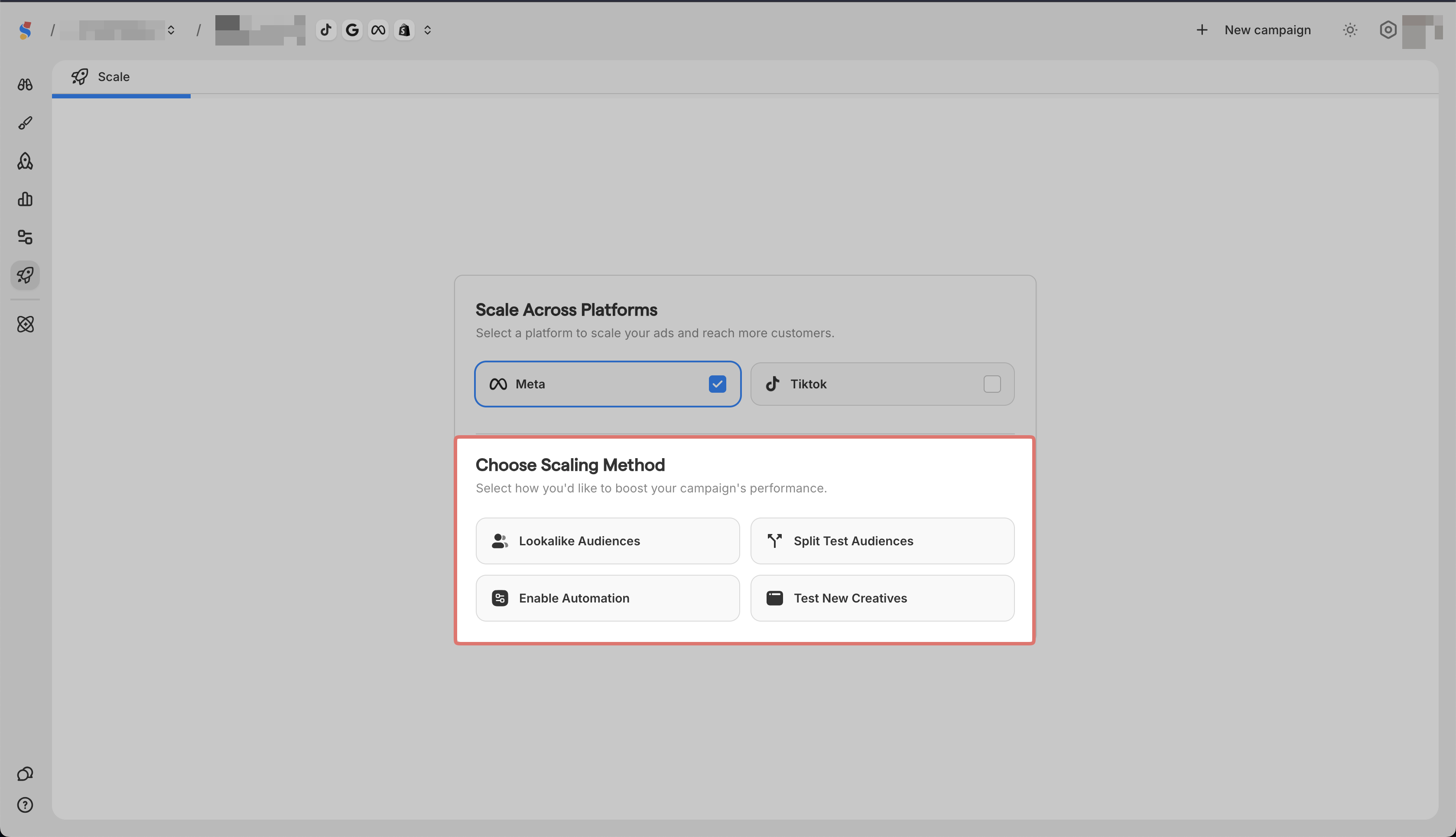
Select a Platform to scale across platforms

-
Select Lookalike Audiences
-
Choose your source
-
Accept the Meta Business Tools Terms and Facebook's lookalike audience terms of service
-
Select the campaign to apply it to
-
Scalify creates a lookalike audience and adds it to your campaign