Importing images from a URL
You can pull images from a webpage instead of uploading them manually.
How to import
-
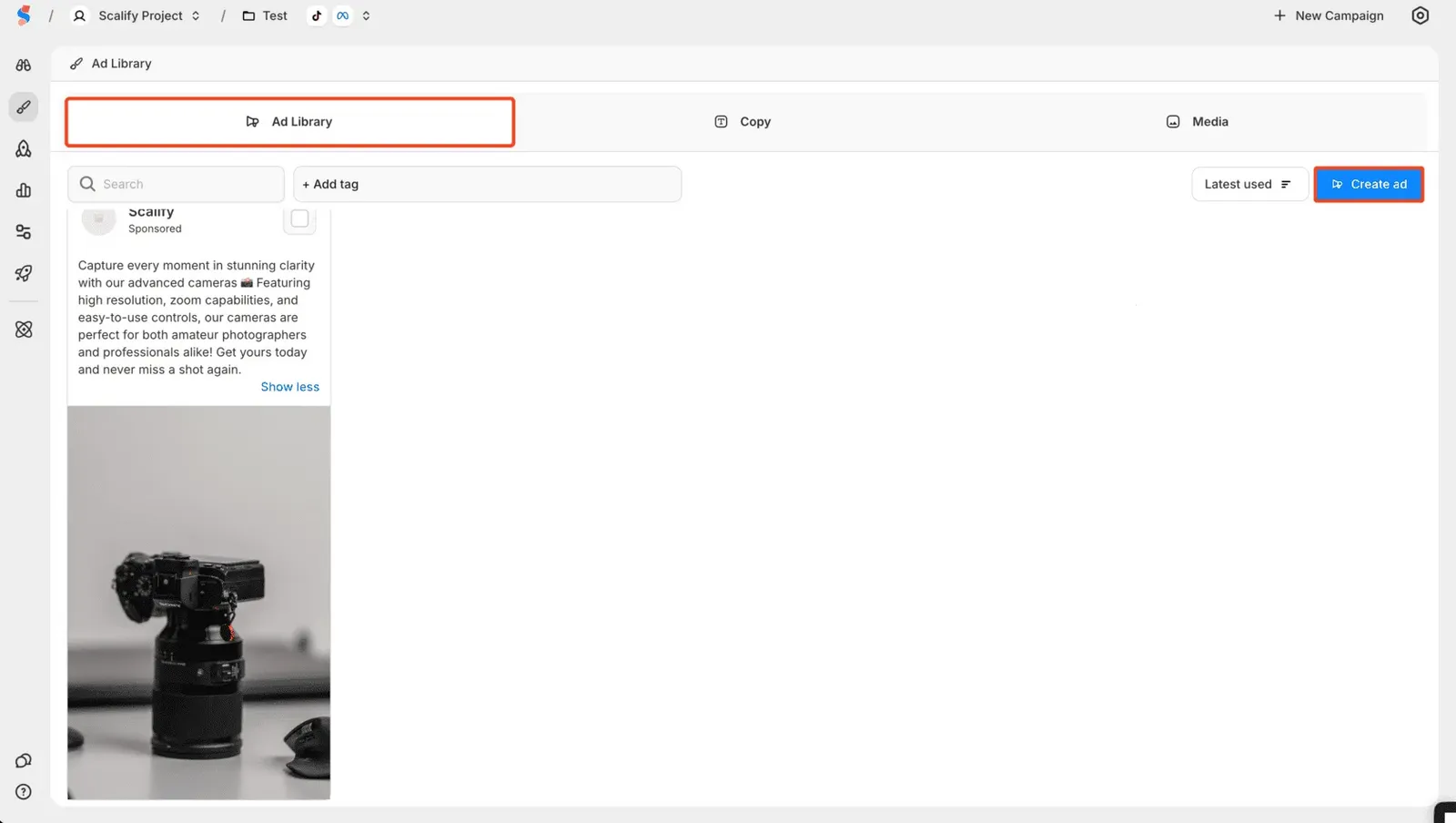
In the Ad Library, click Create Ad
-
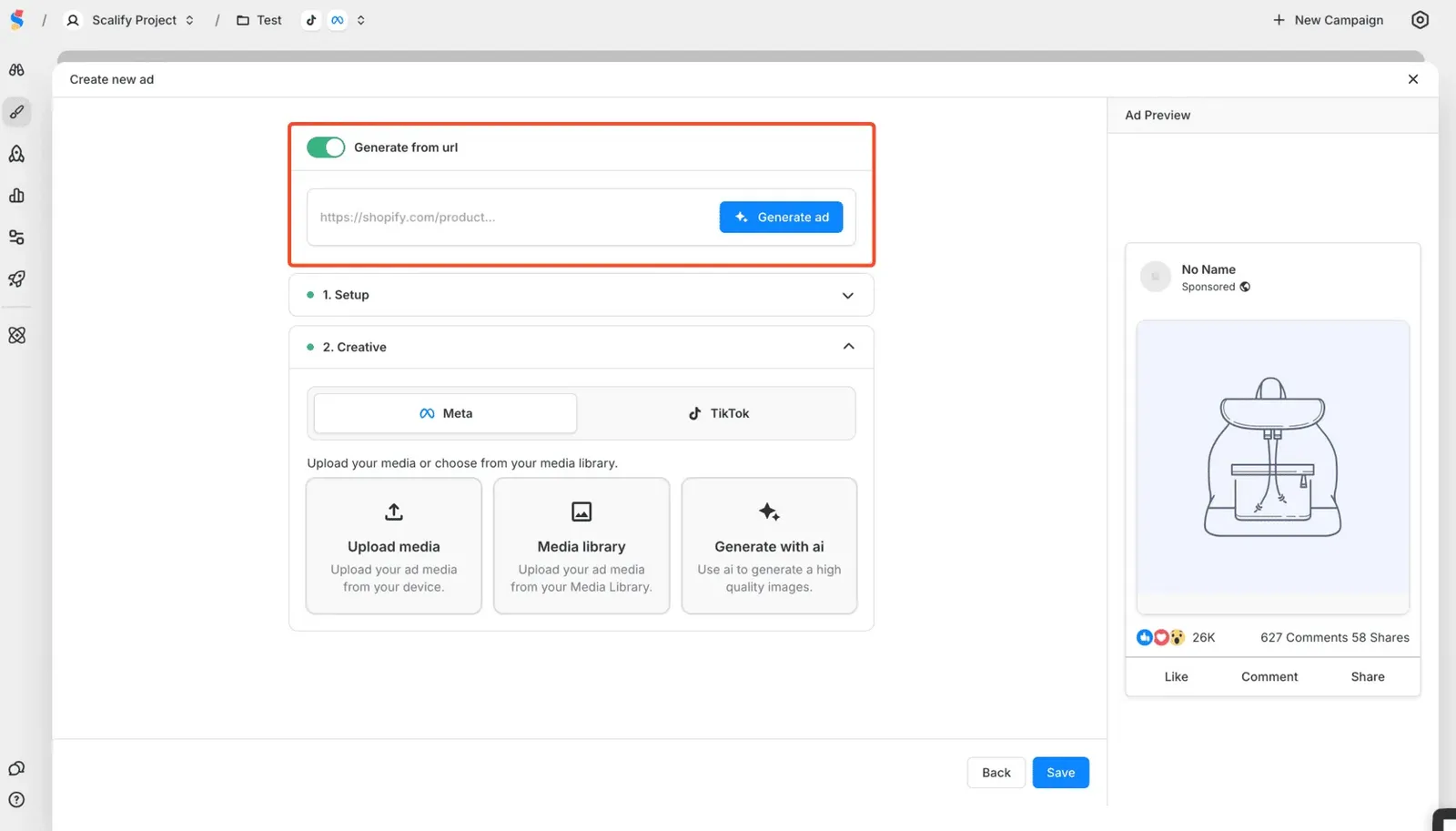
Toggle on Generate from URL at the top
-
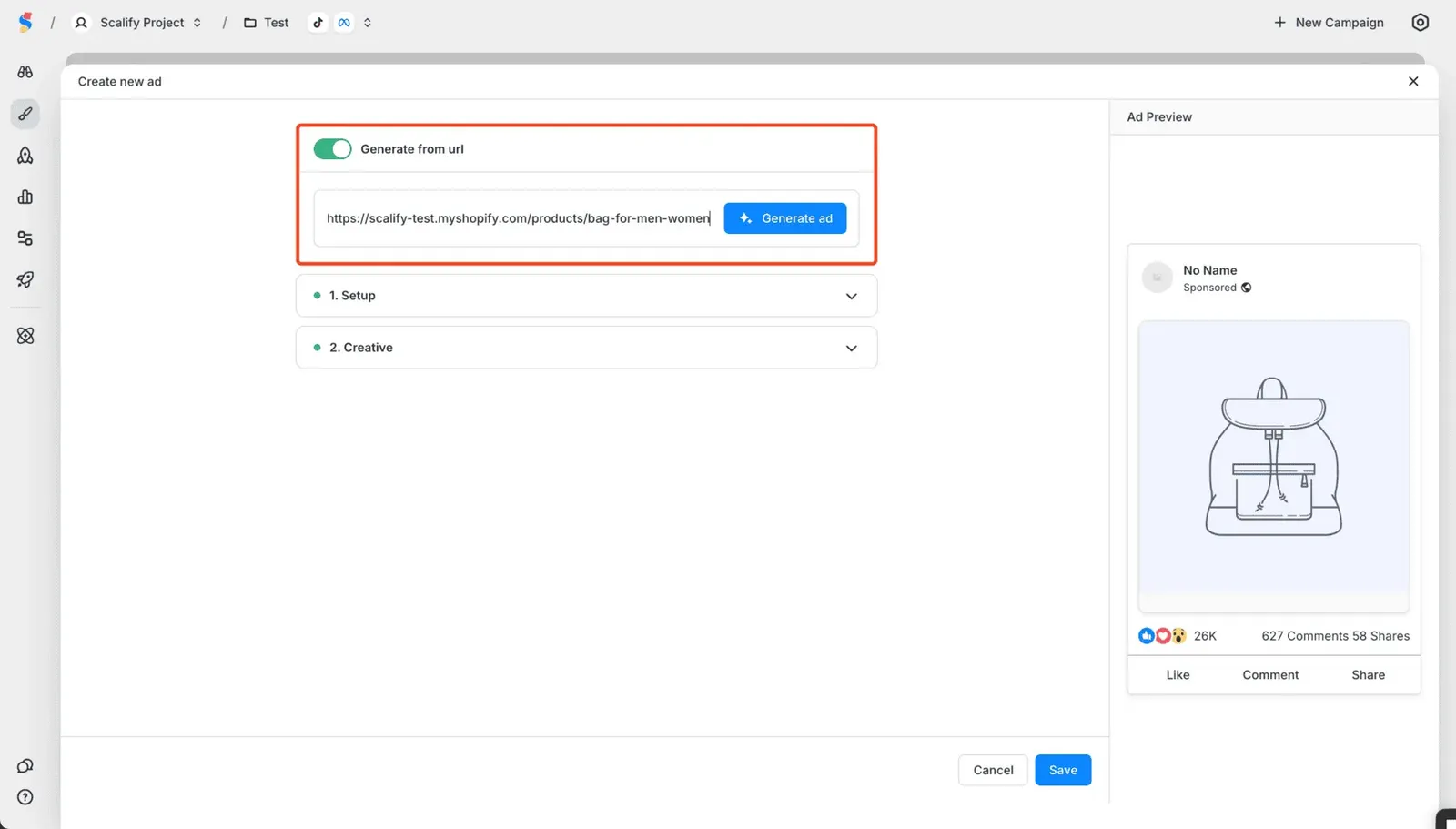
Enter the URL
-
Scalify will pull images from that page for you to use
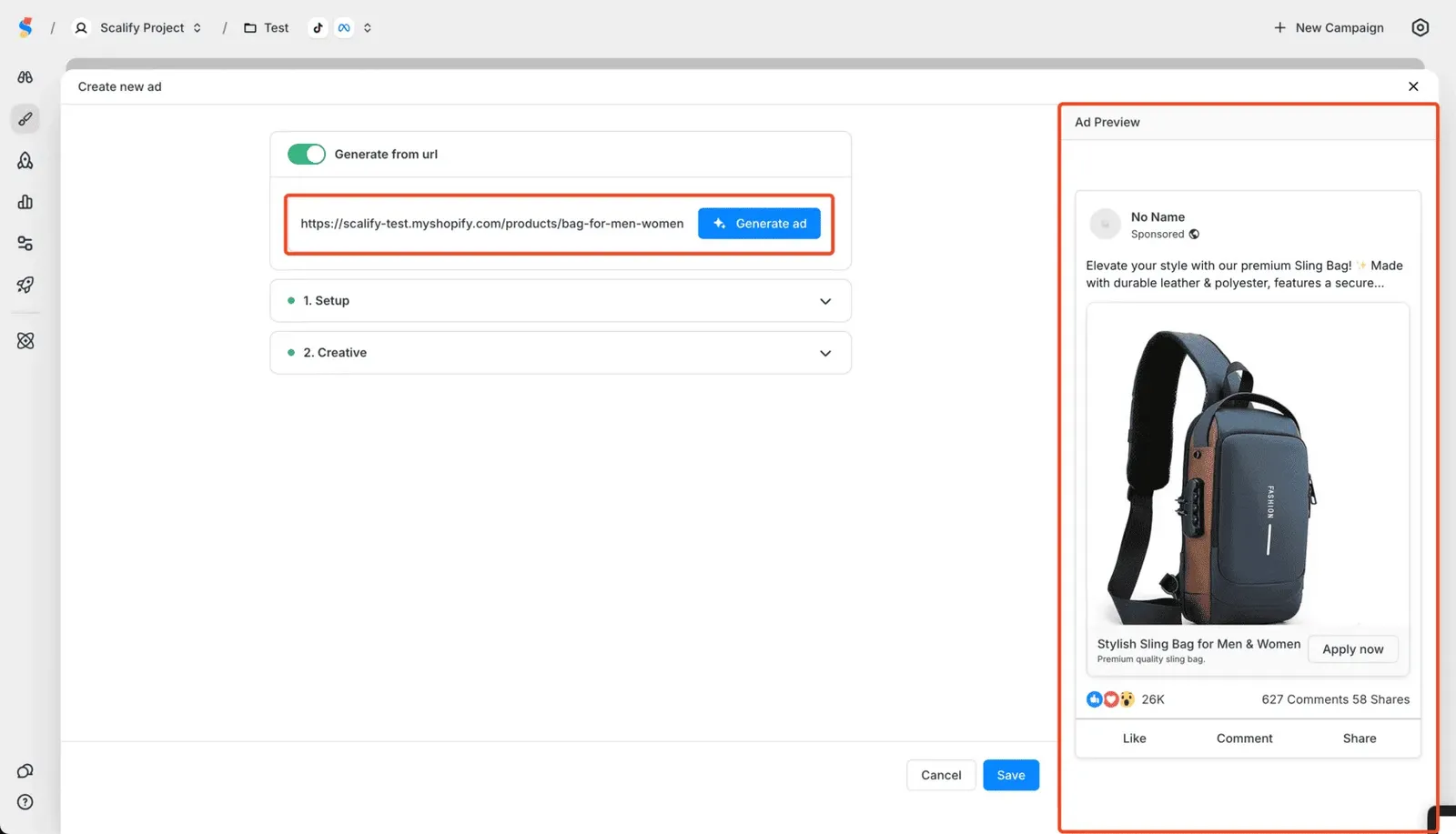 This is useful when you want to use product images from your store or landing page.
Related articles
- Creating a single image ad
- What is the Ad Library?